




Webclient - smart, flexible, web-based.
Apply for a free SAP Business One trial now
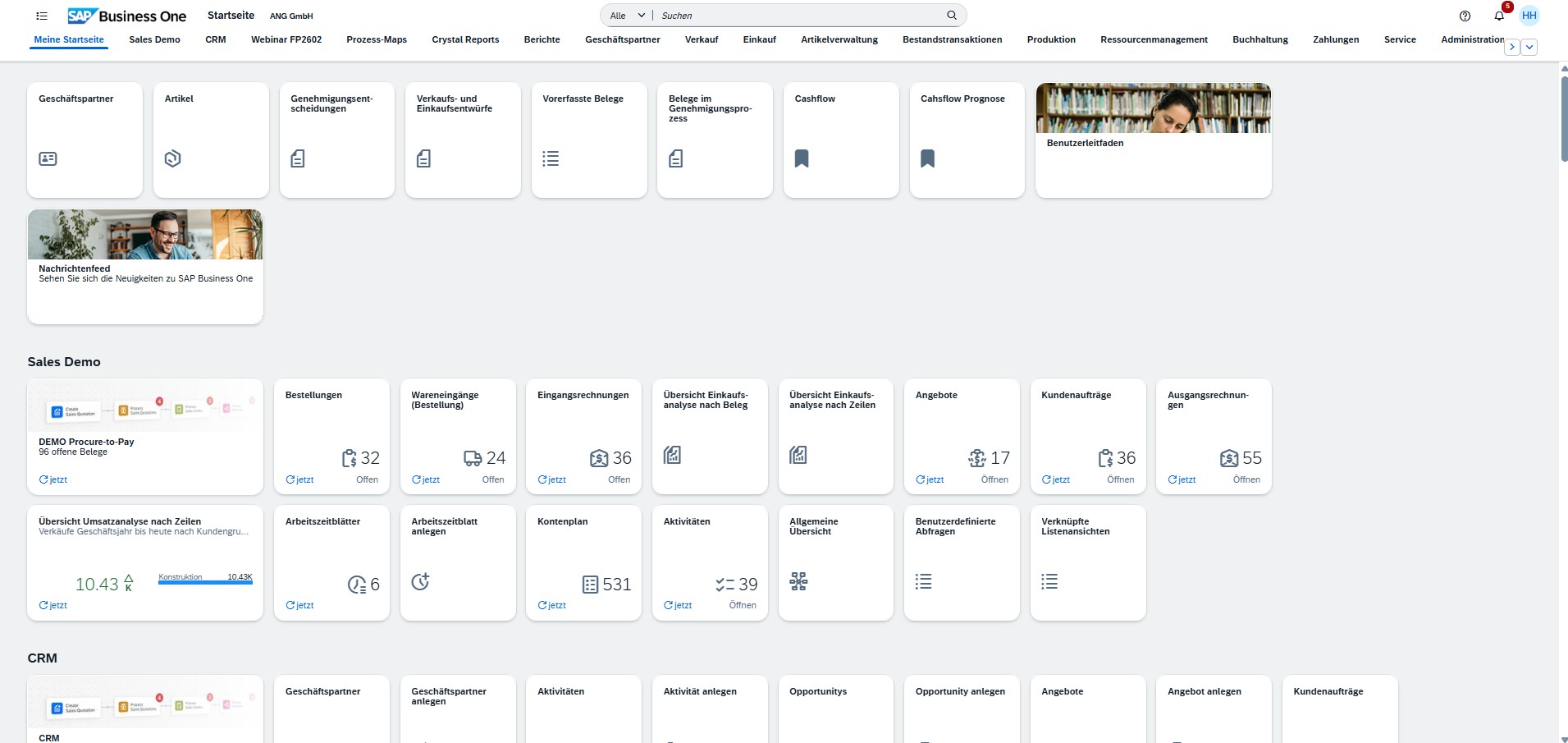
Working with SAP - directly in the browser
The SAP Business One Web Client
With the web client for SAP Business One, you can use the full functionality of your ERP system directly in the web browser – on the desktop as well as on mobile devices. Access your data and applications regardless of time and place and control your central business processes efficiently and securely. The web client offers maximum flexibility, simple operation and a modern interface for daily use.
- Location-independent access: Access SAP Business One at any time and from anywhere - directly via the browser, without installation.
- Modern & intuitive user interface: Work more efficiently with a clearly structured, responsive interface - optimized for all end devices.
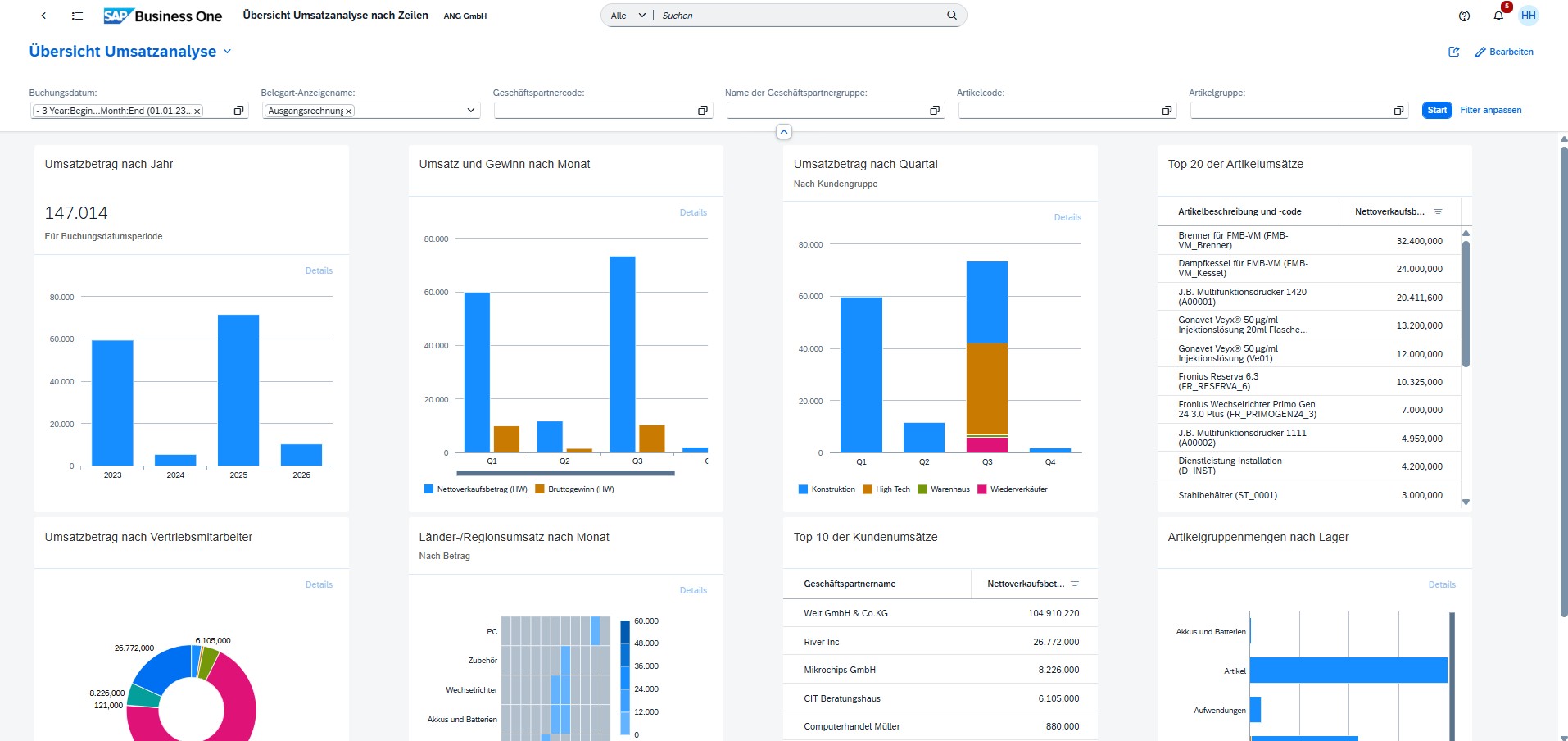
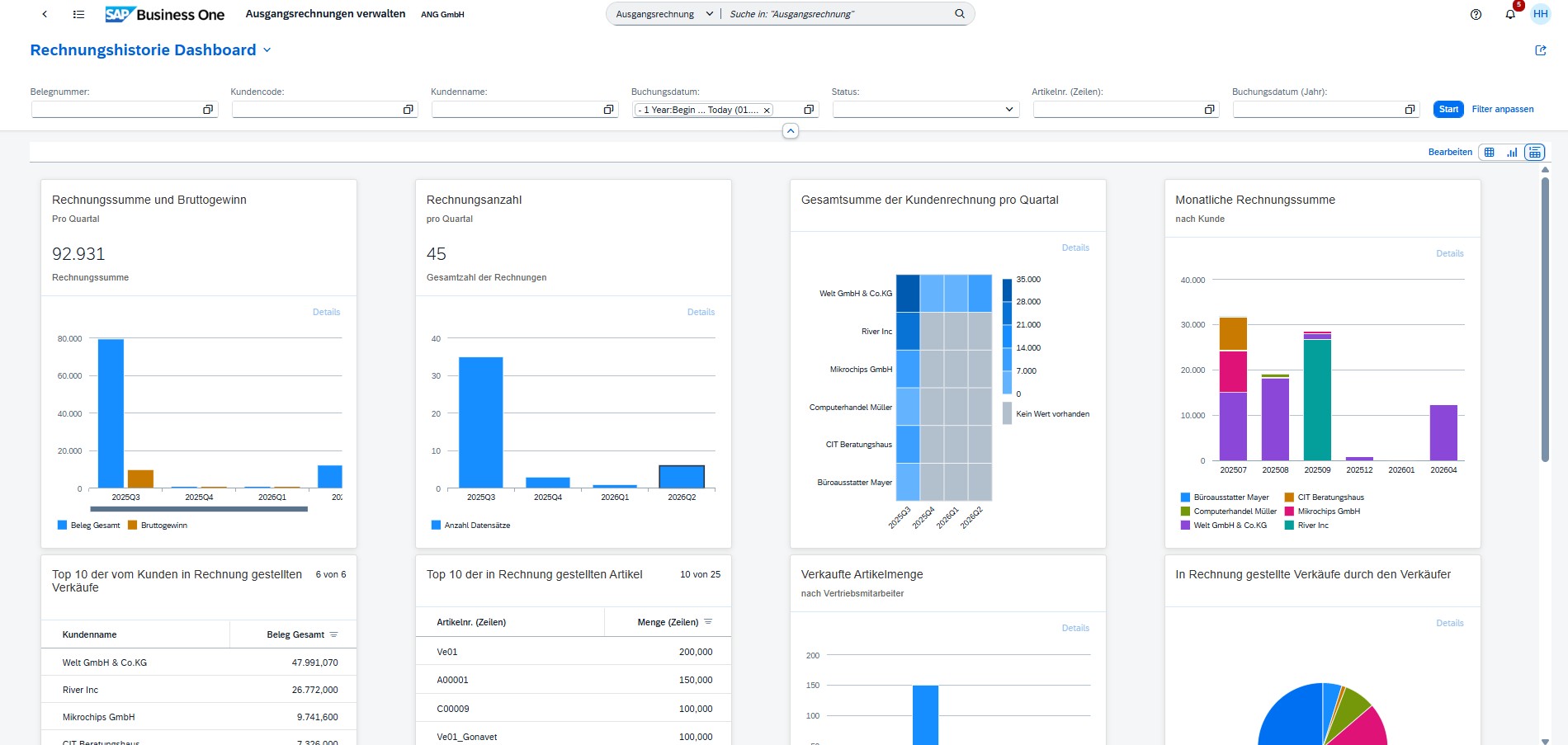
- Real-time data & smart dashboards: Keep track of your company's key figures with interactive KPIs and live analyses.
- Secure & future-proof: Benefit from secure connections, role-based access and regular updates from SAP.
The most important features explained in compact form
All information about the Web Client
What can the SAP Business One Web Client do?
With the web client, you can also achieve your goals online – directly via the Internet browser. You access the same SAP Business One database that you use locally in the office. In addition to displaying information, you can also enter and edit data.
Browser access includes the central processes of SAP Business One and enables the creation, management and updating of quotations, orders, deliveries, invoices and much more. Analyses and evaluations are available directly on the device used.
Grow with a system that thinks for you
The ERP solution for small and medium-sized companies
- Future-proof and GDPR-compliant Protect sensitive data with advanced data protection functions.
- Encryption at the highest level: TLS encryption for all data transmissions - your information is always protected.
- Strict access controls: Role-based authorizations ensure that everyone only sees what they are allowed to see.
- Multi-factor authentication (MFA): Increase security with additional levels of authentication.
- Automatic updates & backups Always stay up to date and protect yourself against data loss.
- Audit logs & real-time monitoring: Track every activity and detect security incidents immediately.
Extend SAP efficiently - with Microsoft integration
Microsoft extensions of the Web Client
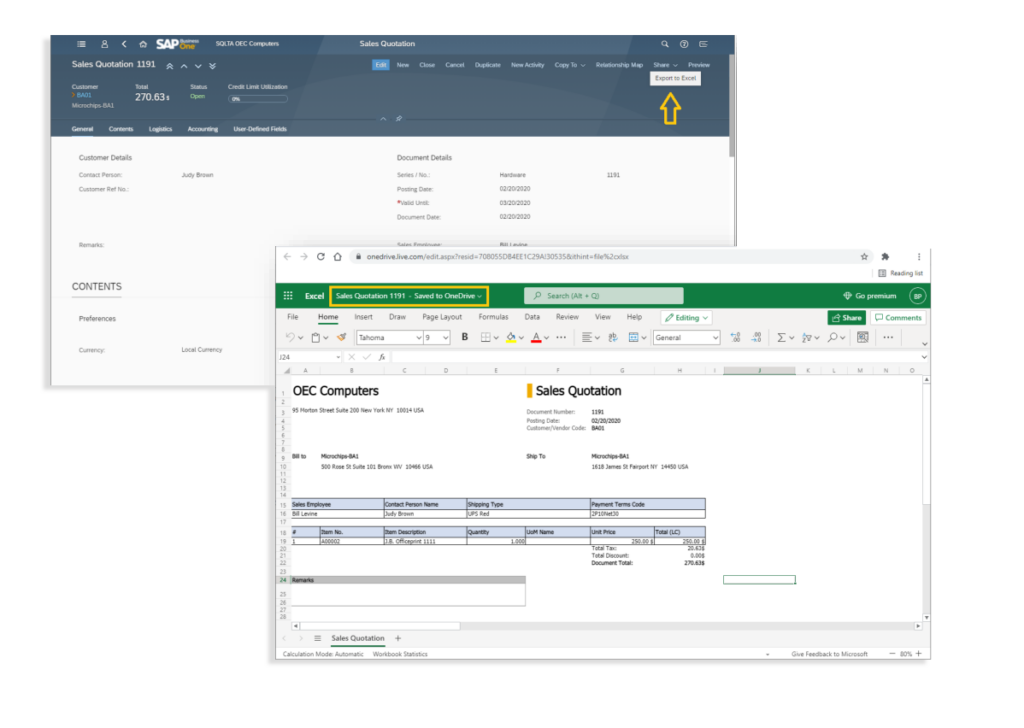
Microsoft Excel 365 integration
- Export of list views as Excel files, can be displayed directly in Microsoft OneDrive Online.
- Detailed views of sales quotes, sales orders, deliveries, returns, A/R invoices and A/R credit memos exportable to OneDrive as Excel files, based on templates similar to the on-premise client.
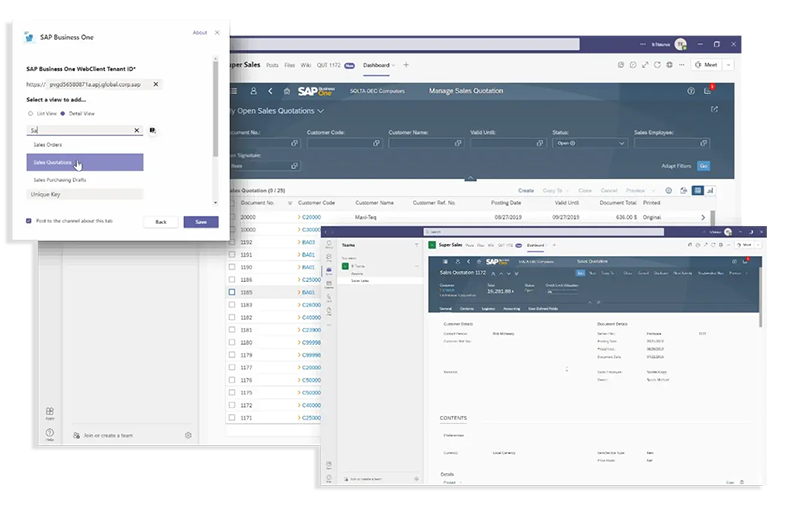
Microsoft Teams integration
- Sales managers, sales and pre-sales can view web client views directly in MS Teams to work on opportunities across departments.
- Integration of list and detail views as tabs in MS Teams.
- All authorized views are directly accessible in MS Teams.
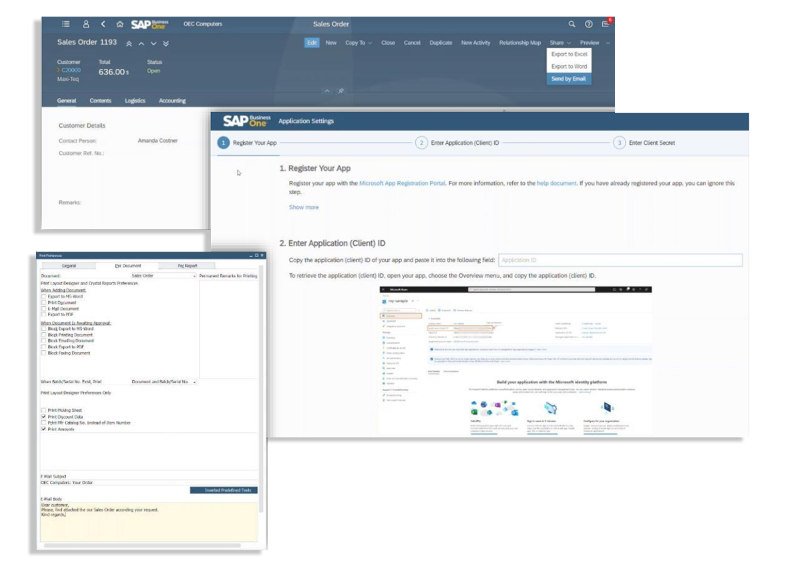
Microsoft Outlook integration
- Outlook 365 link with Business Database
- Sending e-mails from the web client
- Document sharing via the web client and link to Outlook 365

Frequently asked questions on the topic
The SAP Business One Web Client is a modern, browser-based user interface for SAP Business One. It enables access to important functions such as sales processes, customer and item management, dashboards and reports - without the need for local installation. The Web Client is intuitive, mobile-capable and optimized for use on various end devices such as PCs, tablets and smartphones.
Definitely. The SAP Business One Web Client is ideal for use in the field - especially in sales or technical service.
Sales representatives can access important information directly from their laptop, tablet or smartphone - without any installation, simply via a web browser. They see customer data, item information, stock levels and prices in real time and can create quotes, enter orders or view the current status of open processes directly on site. Reports and dashboards are also available on mobile devices, allowing your employees to make informed decisions and respond flexibly to customer needs. This not only increases efficiency in the field, but also customer satisfaction.
The SAP Business One Web Client is designed for maximum flexibility and works on a wide range of devices - without any installation.
Supported devices: desktop PCs and laptops (Windows, macOS), tablets (e.g. iPad, Android tablets), smartphones (iOS, Android)
Supported browsers: Google Chrome (recommended), Microsoft Edge, Apple Safari, Mozilla Firefox (limited testing)
All you need is an up-to-date web browser with an Internet connection. This means your employees can access SAP Business One at any time and from any location - whether they are in the office, working from home or on the move.
The SAP Business One Web Client gives you access to central business processes directly in your browser - without additional software. This allows you to complete important tasks anytime and anywhere. The interface is clear and easy to use, even without in-depth SAP knowledge. The following functions are available to you in the Web Client:
- Create and edit sales opportunities
- Enter and manage quotes and orders
- View and edit customer and supplier data
- Check article master data and stock levels
- Call up prices and availability
- Use standard reports and dashboards to evaluate business figures
- Access to all functions on different devices such as PC, tablet and smartphone
To be able to use the SAP Business One Web Client, you need:
– SAP Business One version 10.0 or later (ideally with an SAP HANA database)
– A suitable server infrastructure with web services enabled
– A stable Internet or network connection (ideally a VPN for external access)
– A modern web browser such as Chrome, Edge, or Safari
– A valid SAP Business One user account with appropriate access rights
– Secure connection via HTTPS for data transfer
If these requirements are met, your employees can work flexibly and without installation in the browser - at any time and from anywhere.
Contact us now without obligation!
Fill out the form and our team will get in touch with you.
Would you like a price estimate in advance? Simply use our individual price estimate.